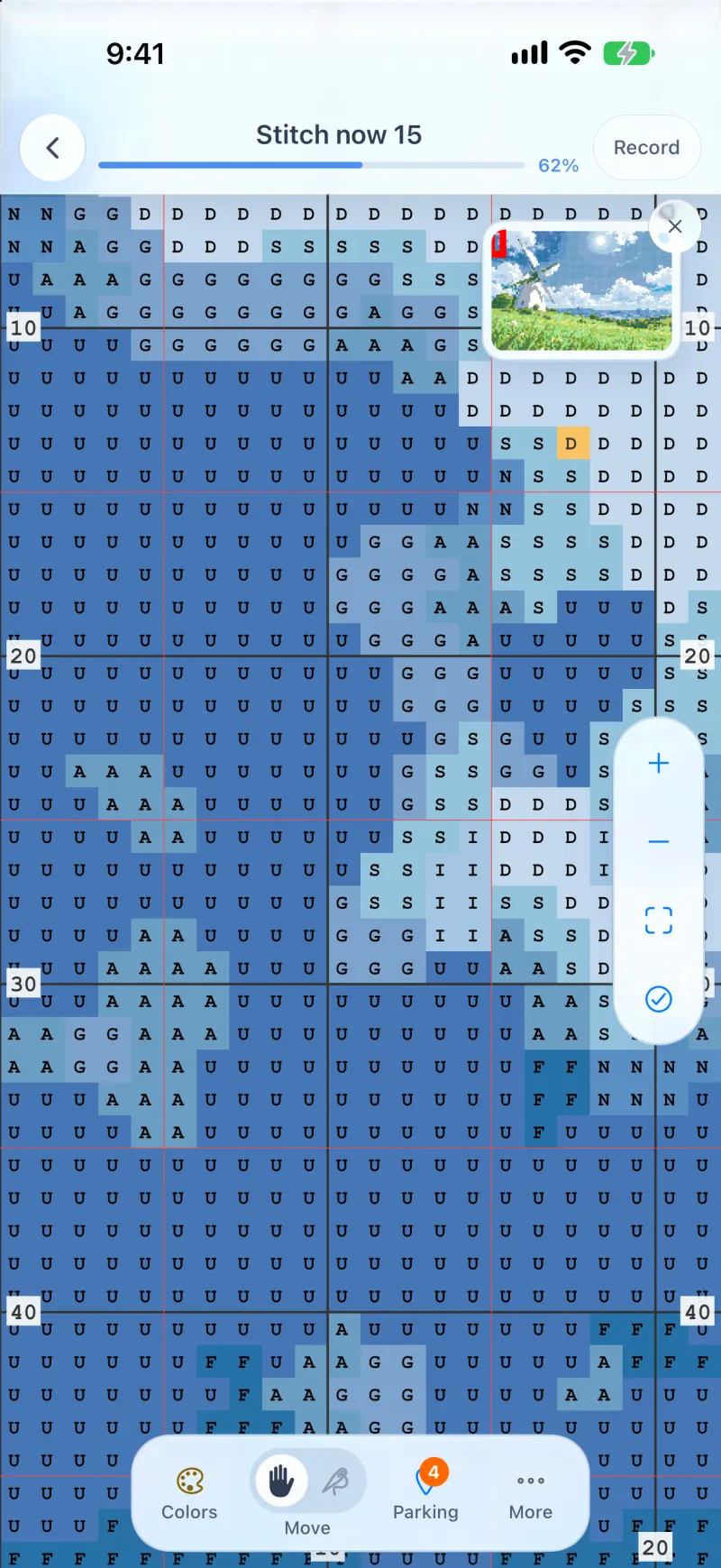
Parking at any corner
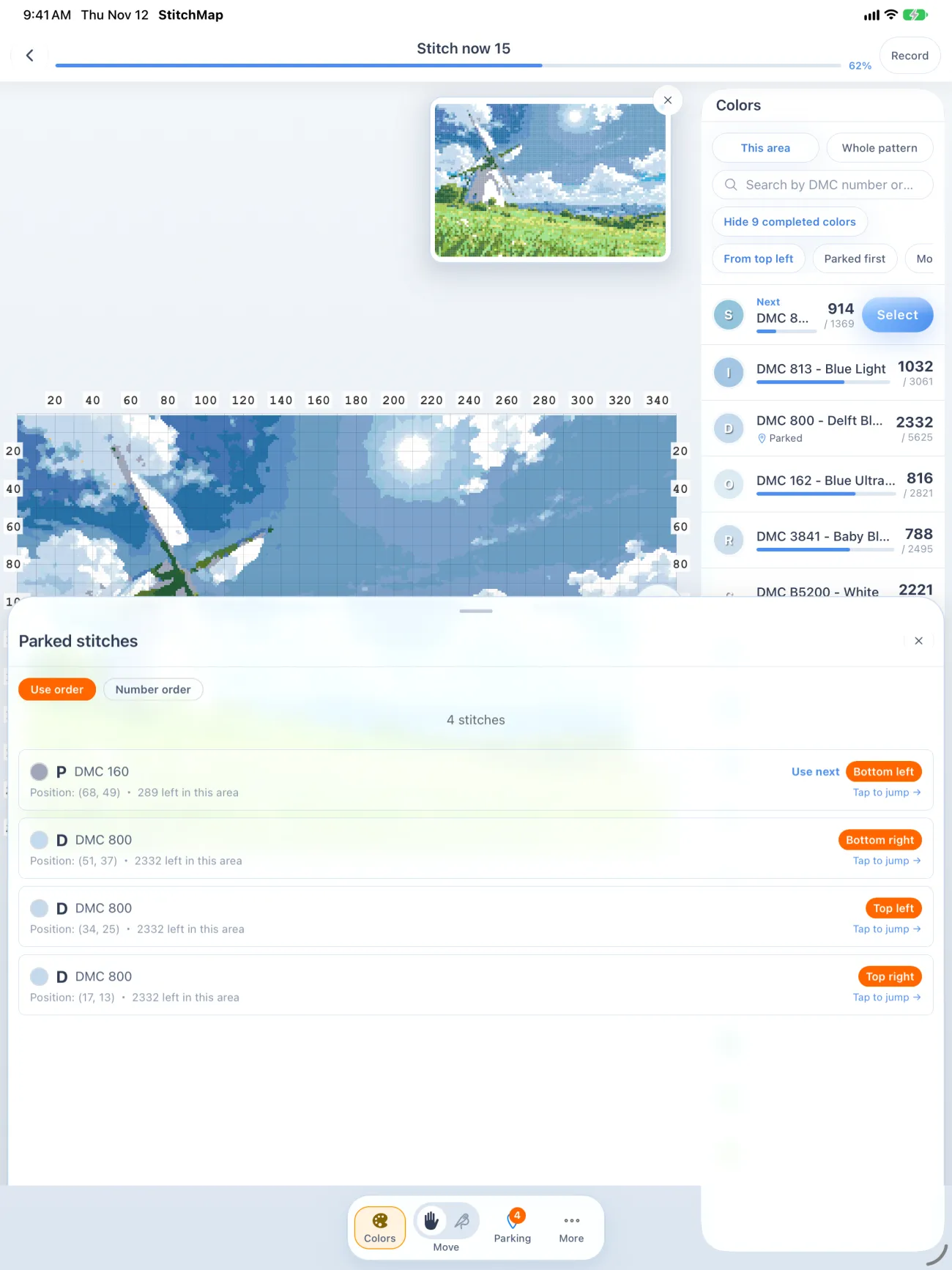
Tap a stitch and pick top left, top right, bottom left or bottom right. The list keeps the corner, the DMC code and the position.
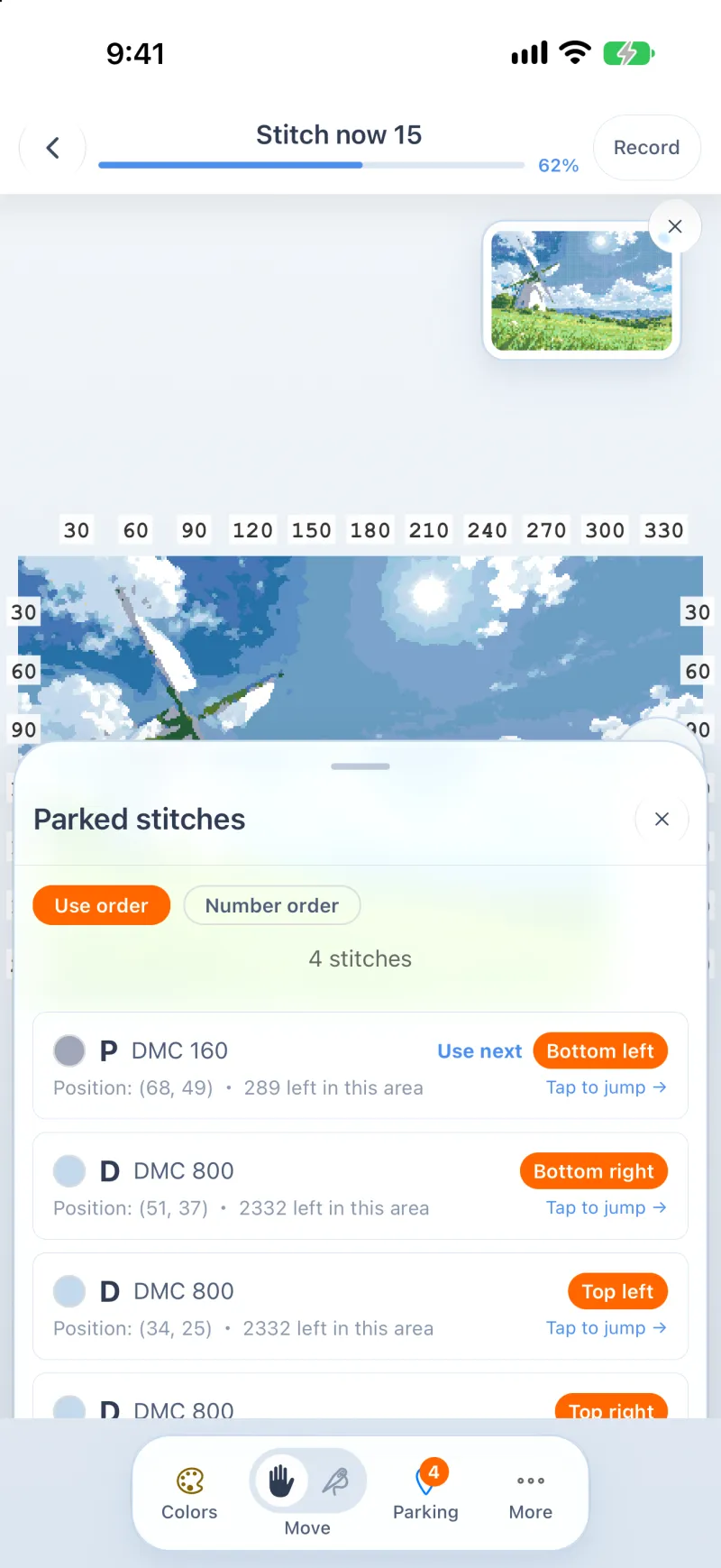
Import a chart PDF from HAED, Mothwick, DMC or Fat Quarter Shop, or Pattern Keeper. Park a needle and it stays on the chart, for patterns 300 stitches wide and up.

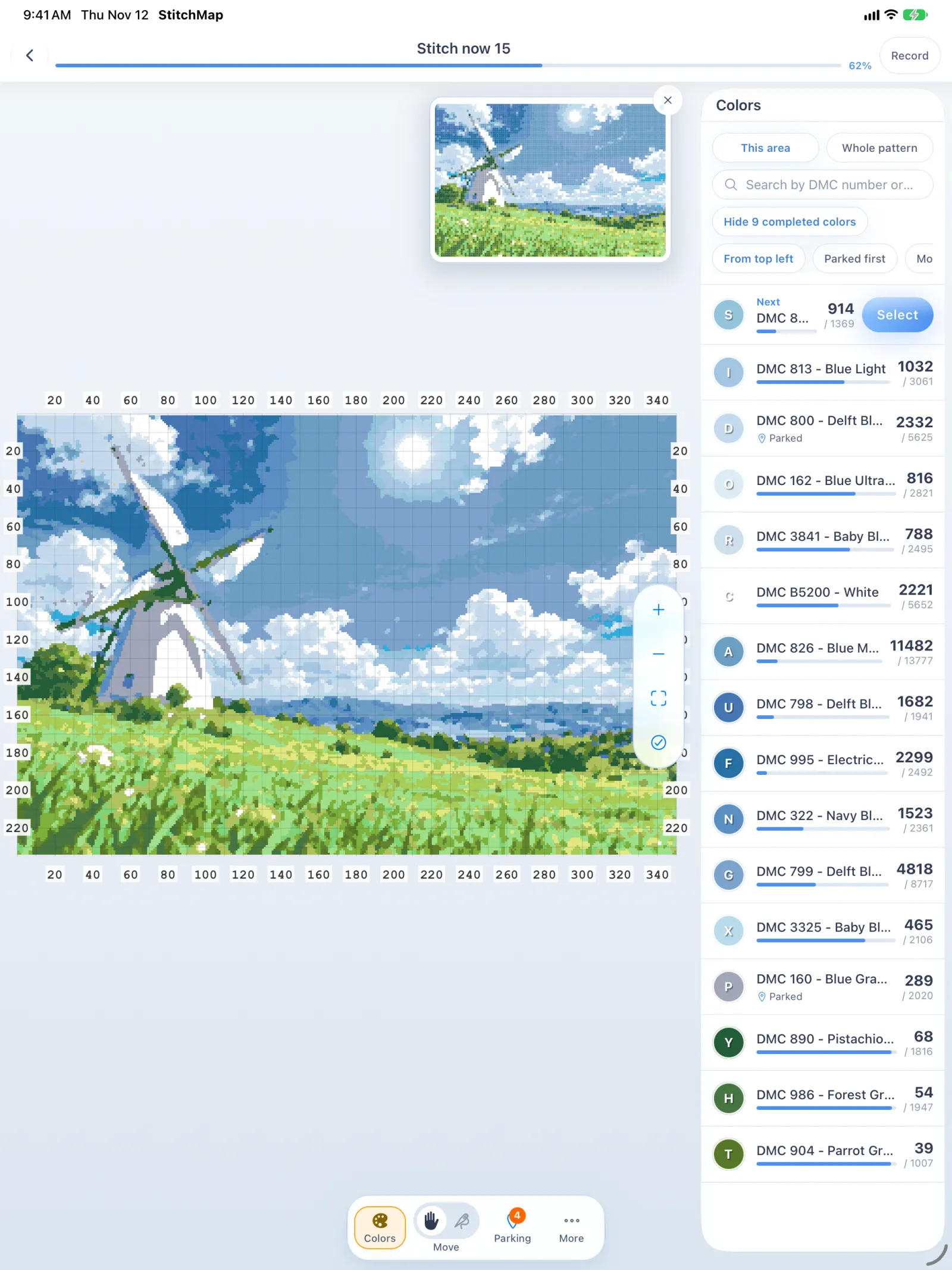
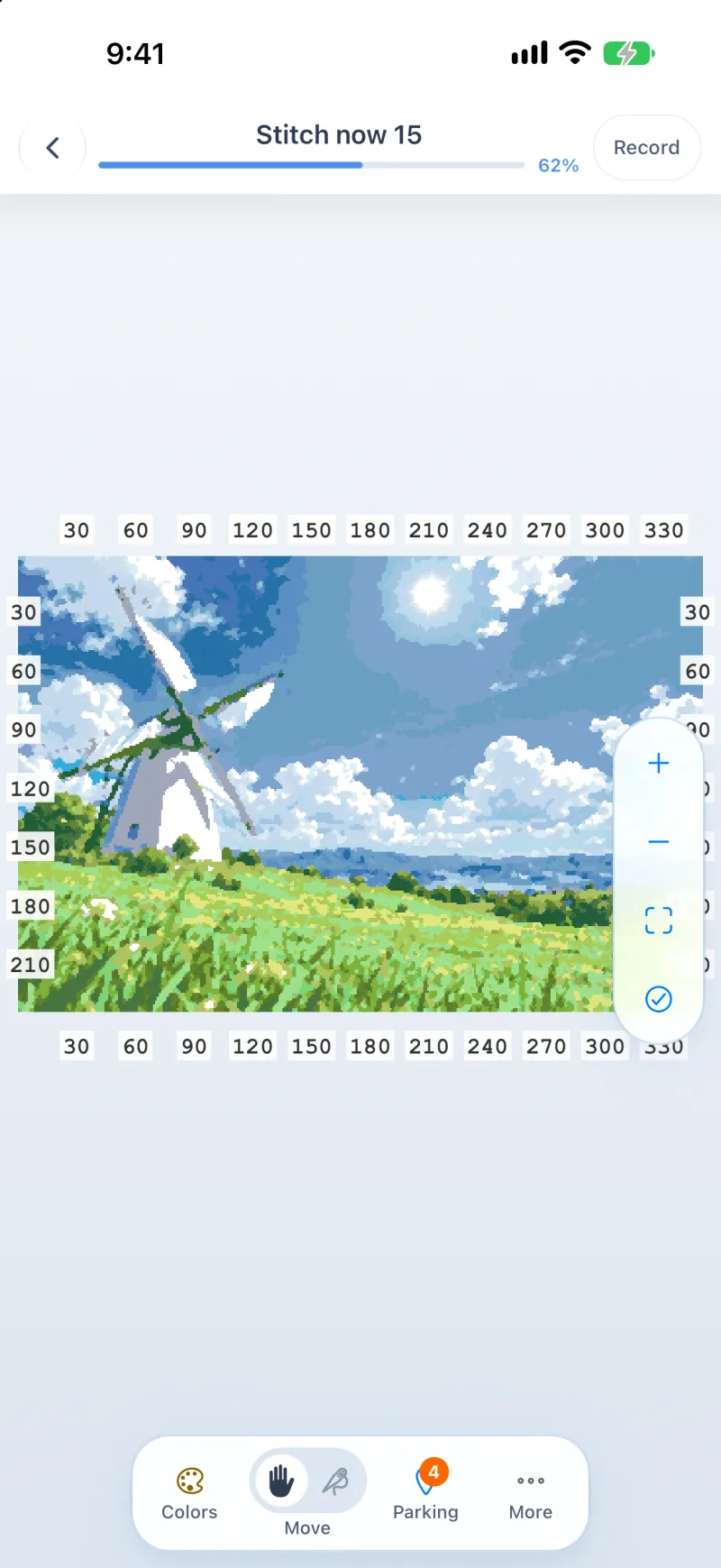
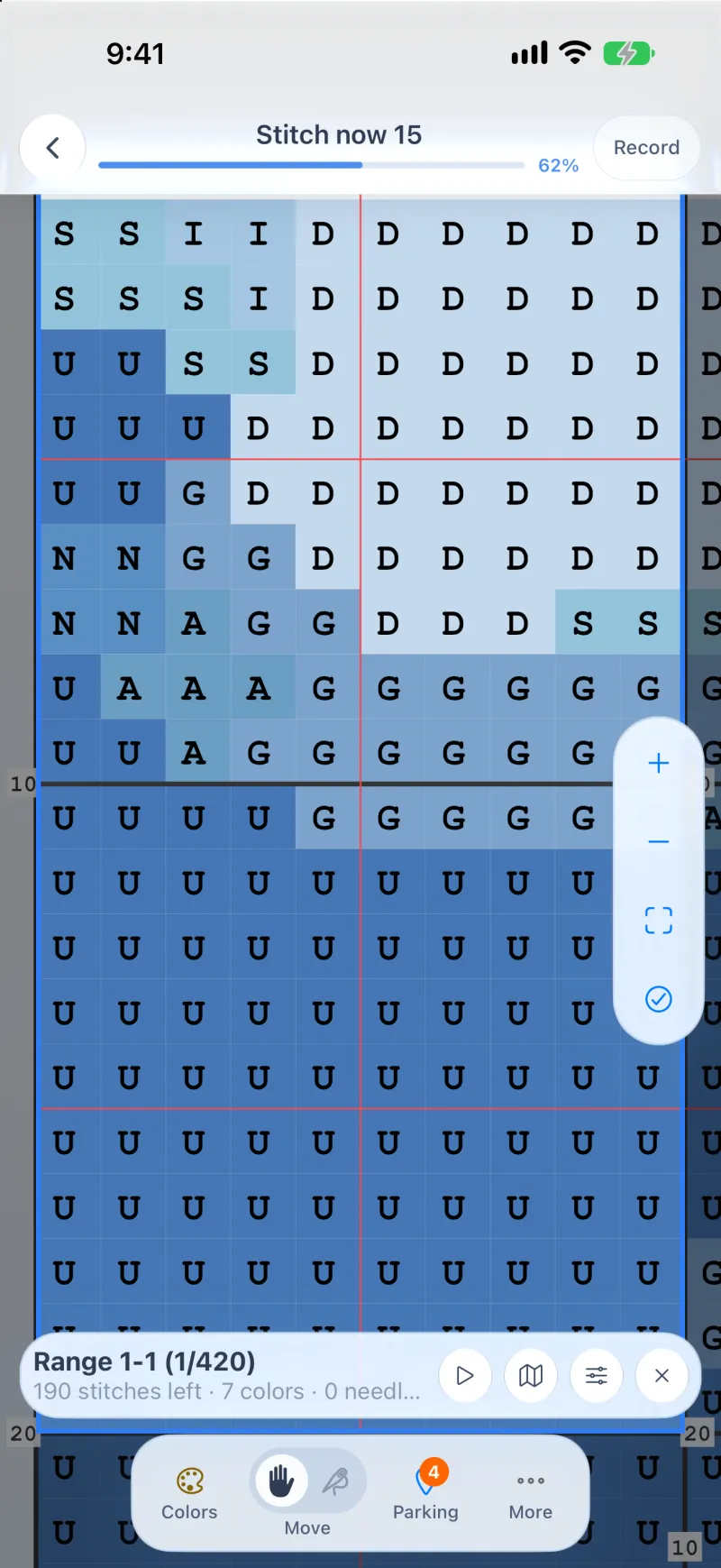
Scroll the chart instead of turning pages. Block lines mark every tenth stitch, and the colour panel keeps the thread you are holding.
See the parking list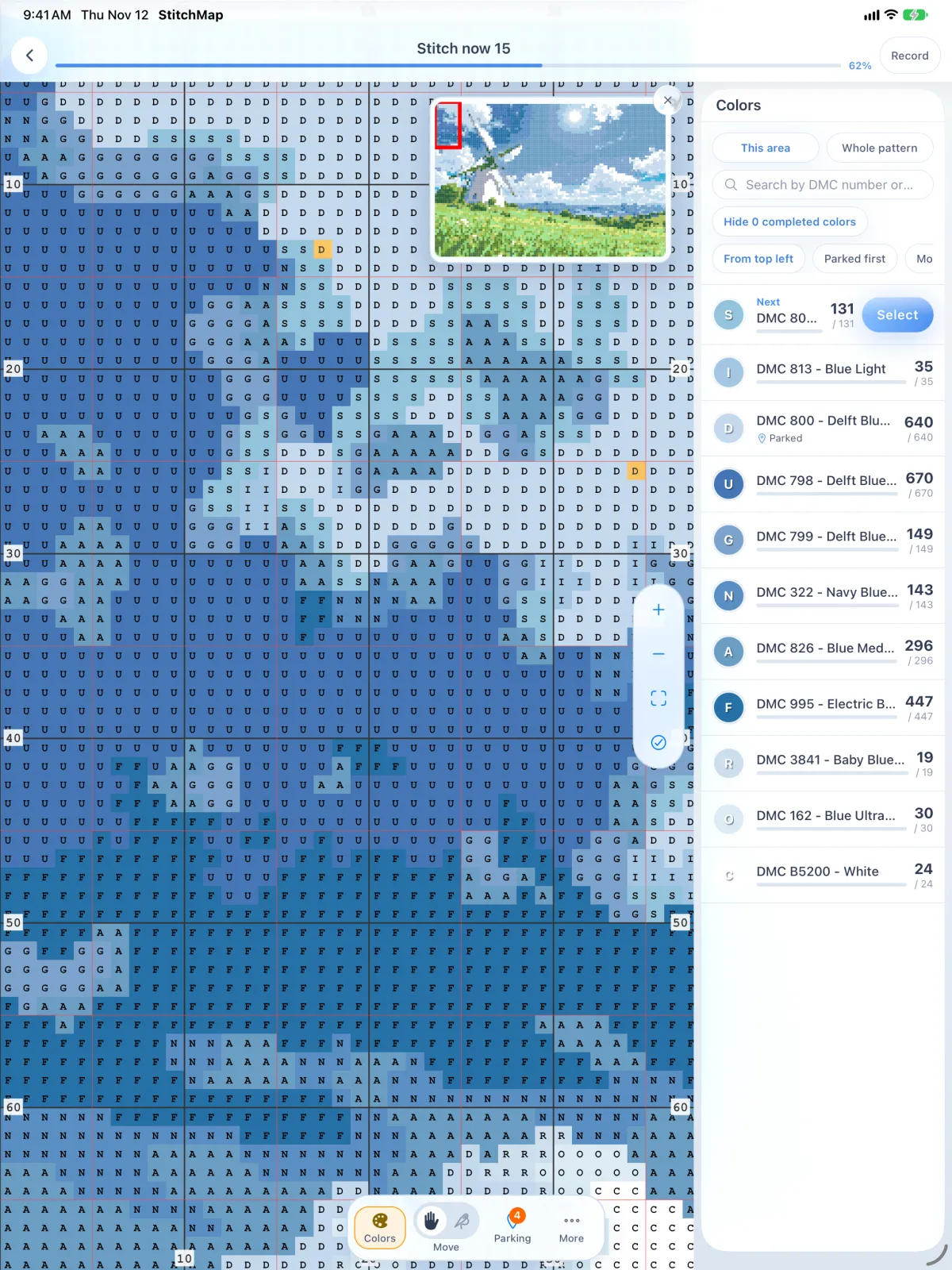
Tap a stitch and pick top left, top right, bottom left or bottom right. The list keeps the corner, the DMC code and the position.
The minimap marks the part of the pattern on screen, so you can move around a large chart without losing your place.
Pick a range and an order; the app counts the stitches left in it and moves on to the next range when you finish.
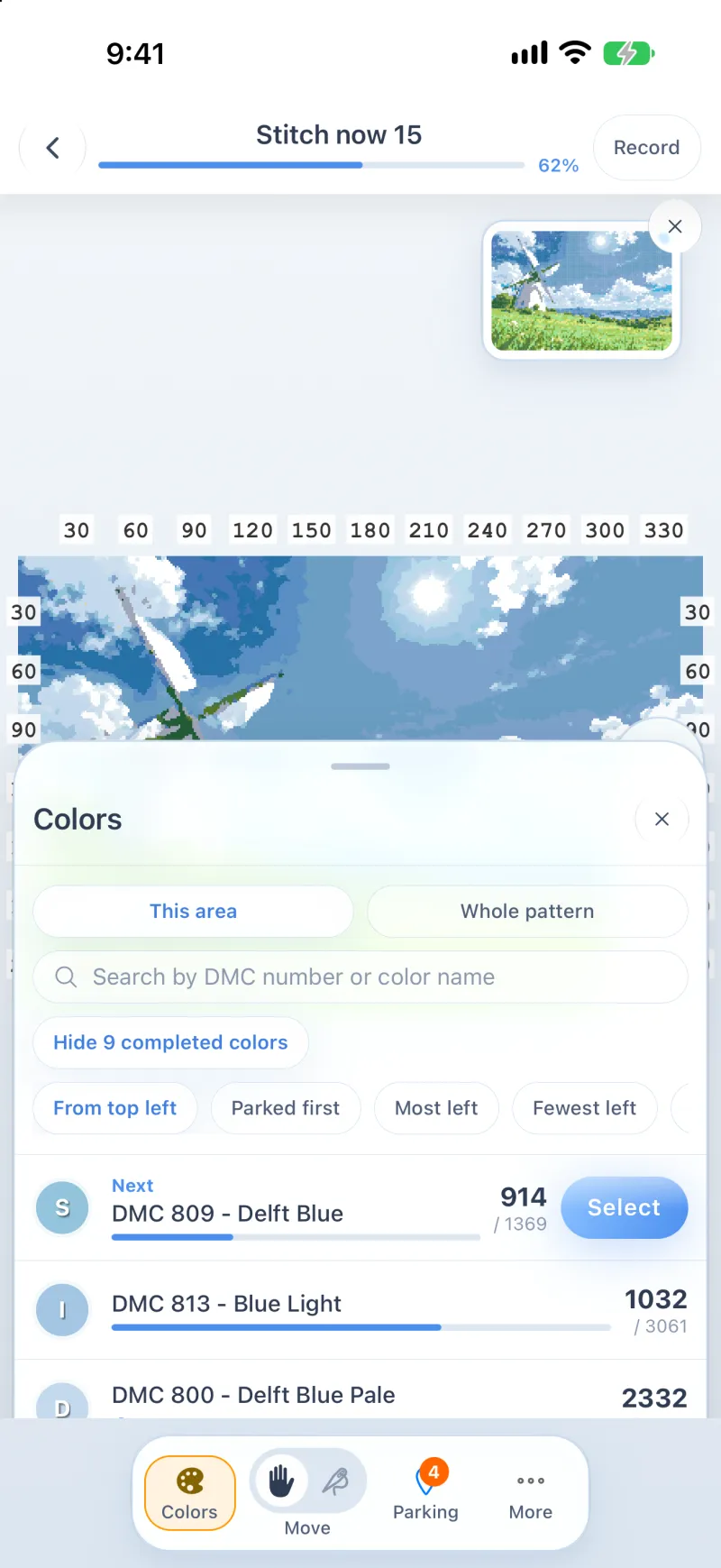
The palette puts the threads near your last stitch first, and the next colour is a tap away.
Yes, on iPhone, iPad and Android. The web build shows a chart and cannot take payments.
HAED, Mothwick, DMC, Fat Quarter Shop and other chart PDFs, plus Pattern Keeper exports. It reads charts with text symbols and charts drawn as graphics.
Yes. Import a Pattern Keeper export and its progress lands on the same chart.
Not yet. Progress stays on one device; sync and backstitch tracking are planned. A backup writes one file you can move by hand.
A parked needle waits at the corner of its stitch. StitchMap keeps the corner, the position and the thread, and lists every one with a tap back to its place.
The overview fits the whole pattern on one screen; block view zooms to a 10 × 10 square. Both show the same progress, saved on your device.
Load a chart PDF and StitchMap reads the symbol grid, the DMC numbers and the page count. Text symbols, drawn symbols and Pattern Keeper exports all import.
One email when StitchMap opens on your platform. No newsletter, and no other use of the address.